Every presentation you make has a goal: to be viewed professionally, accessed without obstacles, and received exactly as intended. However, there are many unseen challenges along the way from your computer screen to your audience’s view. The impact of your hard work is gradually diminished when fonts change, layouts alter, and embedded pieces malfunction.
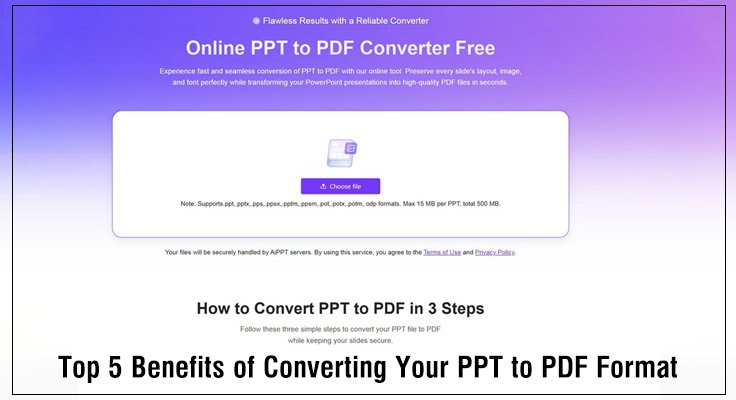
This is where a simple, yet profoundly powerful, format transition comes into play: converting your PPT file to a PDF. This act is more than a routine file change, but a strategic decision to finalize, protect, and universalize your content. It ensures your message arrives intact, every single time.For this crucial task, tools need to be as reliable as the outcome they promise. AiPPT offers a streamlined, secure, and powerful PPT to PDF converter tool designed for this exact purpose. It prioritizes a flawless conversion process, allowing you to achieve the benefits of the PDF format with ease and confidence.
Let’s explore the five fundamental advantages that make converting your presentation to a PDF an essential step in your workflow.
Benefit One: Guarantee Absolute Design Consistency – Protect Your Professional Image
When you share a native PPT file, you are essentially sending the ingredients and a recipe, hoping the recipient’s kitchen has the same tools and appliances to recreate your dish perfectly. Converting to PDF, however, is like delivering a professionally plated, finished meal. It is the ultimate encapsulation of your visual design.
- Fonts Are Permanently Embedded: A PDF locks in every typeface you use. This eliminates the common and disruptive issue of font substitution, which can cause text to overflow, spacing to collapse, and your carefully chosen typography to default to something generic. With a PDF, your design vision remains pixel-perfect on every device.
- Colors and Layouts Are Finalized: Every shape, every text box, and every image is fixed in its precise position. The subtle color gradients, custom shadows, and complex vector graphics you labored over will display identically, regardless of the software or screen used to open the file. This consistency is non-negotiable for brand integrity.
- Complex Graphics Render Flawlessly: Advanced charts, SmartArt, and custom illustrations are preserved as intended. There is no risk of these elements breaking apart or simplifying when opened on a different version of presentation software.
How AiPPT Facilitates This: AiPPT’s conversion engine is built to intelligently process and preserve every component of your original slides. It meticulously handles intricate designs, ensuring the output PDF is a true visual replica of your source material. The process requires no technical adjustments from you—just a straightforward upload and conversion.
Benefit Two: Enable Universal Access and Collaboration – Break Down Technical Barriers
In a world of diverse devices and operating systems, the PDF format serves as a universal language for documents. Converting your presentation to a PDF dramatically lowers the technical barrier for your audience, ensuring nothing stands between them and your content.
- Opens Anywhere, on Any Device: PDF readers are ubiquitous and often built directly into web browsers and operating systems. Whether your audience is on a Windows PC, a Mac, an iPhone, or an Android tablet, they can open and view the file immediately without needing specific software like Microsoft PowerPoint.
- Streamlines Communication and Feedback: Sending a PDF removes a layer of technical preamble. You no longer need to ask, “Do you have the latest PowerPoint?” or “Can you view.PPTX files?” This allows the conversation to focus solely on the content’s substance, facilitating smoother collaboration with clients, colleagues, or educators.
- Enhances File Portability and Stability: PDF files are generally robust and less prone to corruption during transfers via email or messaging apps. Their self-contained nature makes them ideal for distribution across various digital channels.
How AiPPT Facilitates This: As a cloud-based tool, AiPPT allows you to perform your PPT to PDF conversion from any device with an internet connection. There is no software to install. This makes it exceptionally useful for quick conversions on the go or when working from a device that doesn’t have presentation software installed. You simply visit the website, upload your file, and receive a universally accessible PDF.
Benefit Three: Strengthen Document Security and Control – Manage Distribution with Confidence
A PPT file is inherently malleable, which can be a risk once your document leaves your hands. Converting to PDF allows you to define the document as a final, stable artifact and exert greater control over how it is used after you share it.
- Prevents Unintentional Alterations: Distributing a PDF establishes a clear “final version”. It safeguards against accidental edits or modifications during circulation, ensuring that everyone references the same, unchanged information. This is critical for official reports, project proposals, or published research.
- Lays the Groundwork for Permissions: The PDF format natively supports various security features. While basic conversion tools like AiPPT’s focus on creating the file itself, the resulting high-quality PDF can then be used with other software to add password protection, restrict printing, or disable text copying. This is vital for sharing sensitive drafts, confidential data, or proprietary information.
- Ensures Content Integrity: The static nature of a PDF makes casual tampering more difficult, providing a basic level of assurance that the document received is the document you sent.
How AiPPT Facilitates This: AiPPT handles your files with a strong commitment to security during the conversion process. The platform employs secure connections and is designed to protect your data. Importantly, the PDF it generates is a clean, high-fidelity file that is perfectly suited for you to later apply any necessary security measures using dedicated PDF software, should your project require it.
Benefit Four: Meet Formal Delivery and Archival Standards – Adhere to Professional Norms
In many professional, academic, and governmental contexts, the PDF is not just a convenience but a formal requirement. Utilizing this format demonstrates an understanding of and adherence to professional standards.
- Compliance with Official Requirements: Numerous institutions explicitly request or require submissions in PDF format. This is standard for academic journal submissions, grant applications, legal document filings, and official business reports. Delivering a PDF signals professionalism and attention to detail.
- Ensures Long-Term Accessibility and Preservation: PDF is an excellent format for archiving. Its open standards promote long-term readability, meaning a PDF created today will likely be openable decades from now, independent of specific software updates or version changes. This makes it ideal for storing important records, portfolios, and legacy documents.
- Provides Print-Ready Output: A well-converted PDF is often the direct file sent to professional printers. It guarantees that what was designed on-screen is exactly what appears on paper, with colors and layouts perfectly preserved.
How AiPPT Facilitates This: AiPPT is engineered to produce PDFs that meet high-quality standards. The output files are structurally sound, with clean metadata and proper formatting. This ensures your converted presentation is not only visually accurate but also technically compliant for submission to platforms and organizations that demand professional-grade PDFs.
Benefit Five: Optimize for Focused Review and Reading – Let Your Content Shine
Presentations are often designed for a live, narrated experience. However, documents are frequently consumed asynchronously, where complex animations and transitions can become distractions rather than aids. Converting to a PDF shifts the medium from a performance to a publication, optimizing it for deep, individual engagement.
- Facilitates a Superior Reading Experience: A PDF version allows your audience to digest the material at their own pace. Detailed charts, blocks of text, and complex data can be studied carefully without the pressure of a sliding animation.
- Removes Potential Distractions from Dynamic Elements: While animations are powerful in a live talk, they can interrupt the flow for a solitary reader. A static PDF presents the complete information hierarchy visually on the page or across sequential pages, allowing the logic of your argument to be absorbed clearly.
- Enables Easy Annotation and Offline Use: PDFs are exceptionally well-suited for printing and digital markup. Reviewers can easily add comments, highlight text, or make notes directly on the file, whether on paper or using a tablet. This makes the format ideal for gathering feedback or for personal study notes.
How AiPPT Facilitates This: AiPPT’s conversion process intelligently manages slide content to create a coherent reading document. It thoughtfully renders sequences and builds into a logical static layout. The result is a PDF that feels like a natural, readable document, not just a collection of slide images. This allows the substance of your work to take center stage. It is important to note that, like many dedicated conversion tools, AiPPT focuses on delivering a precise visual copy. Features like interactive hyperlinks or embedded multimedia are typically rendered as static elements in the PDF to ensure universal compatibility.
A Note on AiPPT’s Specifics
The AiPPT tool is designed for efficiency and security in your PPT to PDF workflow. It excels at simple batch processing—you can convert multiple files at once, saving significant time. The operation is straightforward, with a clear user interface. Your files are handled securely during the transfer and conversion process. The tool prioritizes delivering a faithful visual copy of your slides in PDF format quickly and reliably.
Make the Strategic Choice for a Smoother Workflow
Converting your PPT presentations to PDF iadvantages a minor step that yields major rewards. It is the definitive move to secure your professional image, guarantee universal access, maintain control, comply with standards, and enhance readability. This transition empowers your content to perform reliably in any scenario.
The last link in the chain is selecting the appropriate tool for this conversion. The purpose of AiPPT’s specialized PPT to PDF converter is to make this crucial procedure easy, safe, and efficient. It enables you to easily take use of all the long-lasting advantages of the PDF format, freeing you up to concentrate on what really counts: producing exceptional content.
Experience the difference a professional conversion can make. Visit AiPPT and discover how quickly and flawlessly you can transform your presentations into robust, shareable, and enduring PDF documents.
Also Read : How to Convert PDF to Word Easily – WPS Office Guide