If you’ve ever tried to build a list of contacts for outreach and thought, “Ok cool, I’m just gonna copy these emails off a few sites”… yeah, 20 minutes later you’re still squinting at contact pages and regretting your choices.
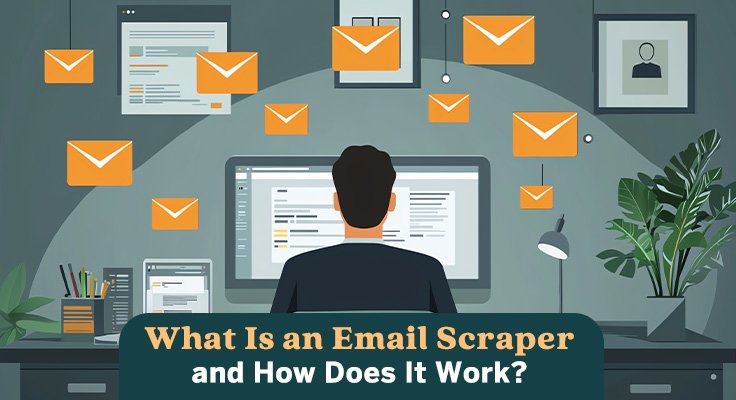
That’s basically where an email scraper comes in. An email scraper is software that automatically finds and extracts email addresses from public places online. Think: company sites, directories, blog author pages, conference speaker lists, all that stuff that has emails sitting there in plain sight (sometimes kinda hidden, sometimes not).
And if your world is more social-first, there are tools built for specific platforms too, like an instagram email scraper that focuses on pulling contact details from Instagram-related sources. Super useful when the “email” is basically the main CTA in someone’s bio.
So what is it, really?
At its core, email scraping is automated email collection. Instead of you manually clicking around and copy-pasting addresses into a spreadsheet like it’s 2006, a scraper does the repetitive part for you.
Usually it grabs:
– Email addresses (obviously)
– Where it found them (page URL)
– Sometimes names, roles, company info, social links, etc. (depends on the tool)
Email scraper vs. just “searching”
If you Google “marketing agency London email” you might get some results, but a scraper is more like: “go through 5,000 pages that match this pattern and pull every email you can find, then clean it up for me.”
Big difference in scale. Also big difference in time saved.
How an email scraper works (the simple mental model)
Most scrapers follow the same general flow. Nothing magical, just systematic.
1) Web crawling: finding pages worth checking
First step is crawling. The scraper visits pages and follows links, kind of like a tiny robot browsing the web.
Common targets:
– /contact pages
– /about pages
– team pages
– blog author boxes
– vendor directories
– “Partners” or “Dealers” pages
– PDF brochures (yep, those too sometimes)
Crawling is basically answering: where on this site might emails exist?
2) Parsing: reading the page content
Once it grabs a page, it looks at the raw HTML (the behind-the-scenes page code) and tries to locate email-shaped strings.
Most scrapers are just pattern matching like:
– something + @ + domain + dot + extension
So it finds stuff like:
– jane@company.com
– press@publication.org
– info@somebusiness.net
Then it extracts those bits into a list.
Tiny example
Let’s say a scraper hits a “Team” page with this text:
“Contact Mia Chen: mia.chen@acmeconsulting.com”
The scraper doesn’t care that Mia is cool or that the page has fancy design. It sees mia.chen@acmeconsulting.com and grabs it. Done.
3) Filtering and validation: cleaning the pile of emails
This is where the “nice” tools separate themselves from the janky ones.
Scraped results usually get:
– Deduplicated (you don’t need info@domain.com 17 times)
– Filtered (removing junk patterns)
– Sometimes validated (does this mailbox exist, does the domain accept mail, etc.)
Validation matters because raw scraping can include stuff that looks like an email but is useless:
– old staff addresses
– typo’d emails
– traps like “name [at] domain [dot] com” (some scrapers can decode these, some can’t)
Where email scrapers pull data from (aka the usual suspects)
People assume it’s only websites, but it’s way broader than that. Common sources include:
– Company websites (contact/team pages)
– Business directories (industry listings, Yelp-type sites, niche directories)
– Public social profiles (depending on platform and visibility)
– Event pages (speaker lists, sponsor pages, attendee listings sometimes)
– Job posts (recruiter emails, HR inboxes)
– Blogger and journalist pages (author bio + contact)
– Marketplaces (vendor profiles, provider pages)
And yeah, some tools focus on certain platforms. Like with Instagram, a lot of businesses basically treat their bio email as their storefront doorbell, so a platform-focused scraper can save time when you’re hunting those down at scale.
What people actually use email scraping for (real-life scenarios)
Lead generation for sales
Classic use. You pick a niche, pull contacts, build a list, and then you start outreach.
Example:
You sell bookkeeping services and want Shopify stores in Canada.
You scrape directories or “Top Shopify stores” lists, collect contact emails, and then filter by domain/company type.
B2B marketing and partnerships
If you’re doing co-marketing, sponsorships, affiliate deals, whatever, scrapers help you build a “partner prospect list” fast.
Example:
A SaaS company scraping “Top DevOps blogs” and pulling editor emails or contact addresses.
Recruiting and sourcing
Sometimes the fastest way to find hiring managers or recruiters is through job posts or company “Careers” pages where they leave direct emails.
Example:
Scrape roles in a certain region, pull HR contact addresses, organize by company size.
Media outreach
PR folks do this all the time. Find writer pages, newsletter sites, podcast contact pages, and build a list for pitching.
The technical guts (lightly, not the boring way)
If you’re building a scraper yourself, most DIY versions look like:
Basic building blocks
– HTTP client to fetch pages (like HTTPX or requests)
– HTML parser (BeautifulSoup is the usual go-to)
– Regex or pattern matching to find emails
– Some kind of queue system if you’re scaling
– Optional proxies if you’re hitting lots of pages and want reliability
Common scaling tricks people use
– Rate limiting (small delays so you don’t hammer servers)
– Retries (because pages fail, timeout, stuff happens)
– Parallel processing (multi-threading or async crawling)
– Storing results with metadata (source URL, timestamp, context)
Not glamorous, but it works.
Exporting and organizing results (because “here’s 9,000 emails” is not enough)
If you’re serious about using scraped emails, organization is basically everything. Otherwise you just end up with a huge messy file you never touch again.
A solid output usually includes:
– Email address
– Source URL (where you found it)
– Domain/company name
– Name/title (if available)
– Notes or tags (industry, region, etc.)
Most tools export to CSV so you can dump it into:
– Google Sheets
– a CRM
– outreach tools
– your internal database
And honestly, having the source URL attached is clutch. When you’re reviewing leads you can quickly sanity-check: “Is this the right person? Is this company relevant?” Without guessing.
Quick reality check: data quality is the whole game
Scraping is fast. But raw scraped lists can be kinda chaotic. Some emails will be outdated. Some will be generic inboxes. Some will be “hello@” when you wanted “marketing@” or a specific person.
So a practical workflow a lot of teams follow is:
1. Scrape
2. Deduplicate
3. Validate
4. Segment (by role, company size, niche)
5. Then outreach
Because if you skip steps 2 to 4, you’re basically just spraying messages into the void and hoping something sticks. And nobody enjoys that.
That’s the gist. Email scrapers just automate what humans do manually, but at scale, with fewer mistakes, and with way more consistency. If you’ve ever lost an afternoon copying emails from tabs… you already understand why they exist.