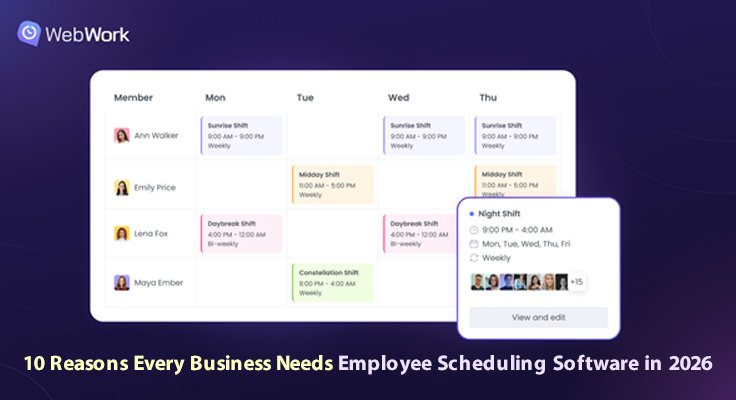
Running a business means managing shifts, attendance, leave requests, working hours, and payroll for every team member. Employee scheduling software brings all of it into one dashboard, so managers stop juggling spreadsheets and employees always know where they stand.
That is why employee scheduling software has become a core part of how growing businesses run their teams today.
What Employee Scheduling Software Actually Does
Employee scheduling software is a digital tool that simplifies and automates the creation and management of employee work schedules in one place. It allows businesses to create shifts with specific start and end times, assign them to individual employees, manage time off through custom leave policies, monitor team attendance automatically, and keep teams organized across different time zones, replacing the spreadsheets and paper rosters managers used for decades.
The Way Businesses Used to Do This
Not long ago, a manager would write shift names on a printed sheet and pin it to a wall. Leave requests came in on paper. Attendance was tracked at the front desk. This worked when teams were small and shared one building. Today, with remote workers, hybrid schedules, and teams spread across time zones, that approach falls apart fast.
Modern tools like WebWork, an AI-Powered workforce management platform, have made this easier. WebWork’s employee scheduling software automates the creation and management of employee work schedules, including shifts with distinct properties, employee shift management, team availability monitoring, and time off handling in one dashboard. Here are 10 reasons every business needs an employee scheduling and shift management tool, and why solutions like WebWork have become a natural choice for growing teams.
10 Reasons Every Business Needs It in 2026
1. All Shifts and Schedules in One Place
All shifts and schedules sit together in one dashboard, with full visibility into when each team member is working. Managers see the whole picture at a glance, and employees always know what is next. This kind of shared visibility has become a foundation of modern team management. When everyone on the team can access the same up-to-date schedule, there is less room for miscommunication and last-minute confusion, which means smoother operations for the business and fewer stressful surprises for employees.
2. Full Team Availability in One Place
When employees work across different time zones, availability gets confusing fast. One shared view brings clarity for managers and structure for the team, no matter where each person is based. Distributed teams especially benefit from having a single source of truth for working hours. It also helps managers identify gaps in coverage early, balance workloads across regions, and make smarter staffing decisions when projects need quick adjustments.
3. Smarter Scheduling, Better Results
Smart scheduling brings clarity to everyone. Each team member has a stable, predictable schedule, every working hour is covered, and the business runs with fewer surprises and lower labor costs. Predictability also makes a real difference for employee satisfaction over time. Knowing the schedule in advance helps employees plan personal commitments, manage energy across the week, and feel more in control of how their work fits into the rest of their life. For businesses, this kind of stability also reduces burnout, lowers turnover, and helps build a workplace where people feel valued by the way their time is treated.
4. Attendance That Manages Itself
Managers do not need to track attendance by hand anymore. WebWork automatically detects late arrivals, early leavers, and missed shifts, and asks the employee directly for the reason. Automating this part of team management saves hours of administrative work every week. It also creates a fairer process for employees, who get a clear and consistent way to communicate when something unexpected happens, instead of dealing with informal follow-up messages or one-sided assumptions.
5. Leave Management Made Simple
Custom Leave Policies make managing employee time off easy. Managers can add leave themselves or have employees request it, and with the right permissions, team members can add their own leave without approval. Transparent leave management also helps build trust between managers and their teams. Clear leave records also make it easier for everyone to plan around time off, from short personal breaks to longer vacations, without disrupting how the rest of the team works.
6. A Time Clock Kiosk for On-Site Teams
For teams sharing a single device, the WebWork Time Clock Kiosk handles every clock-in and clock-out with personal PIN codes. The kiosk tracks breaks and feeds data directly into timesheets and payroll. This kind of setup is especially useful for retail, hospitality, and other industries with shift-based workforces. A shared kiosk also keeps the clock-in process simple and consistent for everyone on site, removing the small daily frictions that come with paper sign-in sheets or manual logs.
7. Project Budgeting Tied to Shifts
Labor costs become visible and predictable. WebWork ties billable hours and project budgets directly to shifts, so staffing decisions get made with actual data behind them. For most businesses, labor remains the largest single expense, which makes accurate cost tracking one of the most important parts of running a team well.
8. Upcoming Holidays Visible for Every Team Member
Holidays catch businesses off guard every year. WebWork shows upcoming holidays for each team member inside the scheduling view, so managers can plan coverage in advance. This is especially helpful for international teams, where public holidays vary widely from country to country. Planning ahead for holidays also helps maintain steady service for customers, smooths workload distribution across the team, and gives every employee enough notice to organize their own time off comfortably.
9. Unlimited Shifts, Unlimited Employees
The same system supports a team of 5 and a team of 500. No cap on shifts, no cap on team members, no upgrade walls as the business grows. Scalability matters most when a business is in its fastest growth stages, where switching tools becomes costly. A scheduling system that grows with the business also means less disruption for employees, who do not have to learn a new platform every time the company expands or restructures.
10. Connects With the Tools You Already Use
WebWork integrates with more than ten tools across task management, finance, communication, and payments, so scheduling becomes part of how the business already runs. Integrations help reduce the friction of adopting new software, since teams can keep using the platforms they already rely on every day. A connected workflow also means fewer manual data transfers between systems, which lowers the chance of errors and gives both managers and employees more time to focus on their actual work.
The Real Question for 2026
Looking ahead, the businesses that will thrive over the next few years are not necessarily the largest ones or the ones with the most resources. They are the ones that operate with clarity, fairness, and a clear understanding of how their teams actually work day to day. Good scheduling is a foundational piece of that bigger picture. It supports stronger communication, better planning, and a healthier balance between business goals and employee wellbeing. As workforces continue to evolve, the role of scheduling software will only grow, becoming less of a back-office tool and more of a central part of how successful teams are built and managed.