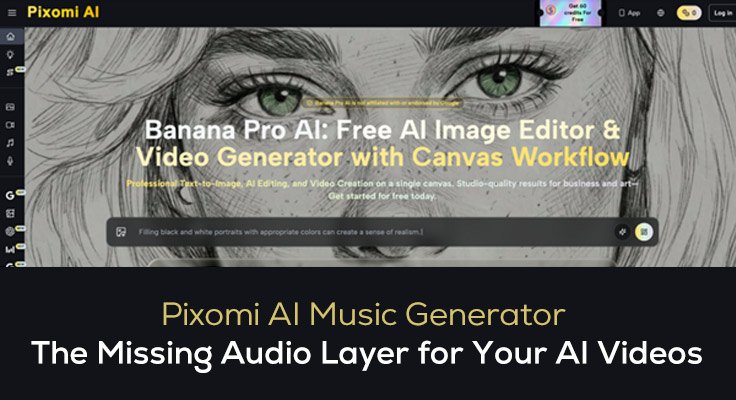
A great video without the right soundtrack feels incomplete. Music sets the emotional tone before a single word is spoken — it determines whether a product video feels premium, whether a social clip feels energetic, and whether a branded story feels trustworthy. For most independent creators and small marketing teams, sourcing that music means navigating expensive licensing, spending hours on stock libraries, or settling for generic loops that everyone else is already using. Banana Pro AI removes that bottleneck with its AI Music Generator, a prompt-based tool that creates original, royalty-free tracks in seconds — built specifically to pair with the videos you are already making.
This article covers how the AI Music Generator works, how it fits into a video production workflow on Pixomi AI, and which plan makes sense for your output volume.
What Is Pixomi AI Music Generator?
Pixomi AI Music Generator is a prompt-driven music creation tool that turns a plain-language description into two complete, ready-to-use audio tracks per request. It is designed for video creators who need music that matches a specific visual mood, scene energy, or campaign style — without the cost, delay, or licensing complexity of traditional music sourcing.
Key features include:
- Six Model Versions (V4 to V5.5) — Choose the quality level that fits your project. V5 and V5.5 deliver the richest arrangements; earlier versions offer reliable output at lower credit cost
- Three Generation Modes — Vocal mode for full songs, Custom Lyrics mode for branded content where you write the words, and Instrumental mode for background music that sits cleanly beneath narration
- Two Tracks Per Request — Every generation returns two complete options from the same prompt for direct comparison without spending extra credits
- Music Library with Commercial Licensing — All tracks are stored in your account with download access and confirmed usage rights for videos, ads, and client work
The Other Features of Pixomi AI for Video Creators
Multi-Model Image and Video Creation
Pixomi AI covers both image and video creation through a multi-model engine, giving users the flexibility to produce any type of visual content from a single platform:
- AI Image Generation — Supports over 10 models including Gemini 3 Pro, GPT Image 2, Midjourney, Flux, Grok, Qwen, and Seedream 5.0. Whether you need photorealistic product shots, illustrated social media graphics, or stylized artwork, simply type your prompt and generate professional results in seconds — no design experience required.
- AI Video Generation — With native support for Veo 3, Veo 3.1 Lite, Kling 2.5/3.0, Seedance 2.0, and Wan 2.7, Pixomi AI is one of the most video-capable platforms available in 2026. Marketers can create product demo videos, content creators can generate cinematic clips, and social media managers can produce viral short-form content — all from a text prompt or reference image.
AI Voice Generator
Natural narration creation for adding a spoken layer above the music track:
- Multiple voice styles covering warm, professional, energetic, calm, bold, and conversational delivery
- Sample previews before generation so the tone matches the video’s mood before any credits are spent
- Stability controls for adjusting between expressive emotional delivery and consistent controlled narration
AI Workflow Studio
Automated pipeline builder that connects music, voice, and video production steps:
- Chain image generation, video generation, voice output, and music export into a single saved sequence
- Eliminates repeated manual setup for recurring video formats such as weekly product clips or monthly campaign ads
Banana Prompt Library and AI Photo Editing
Supporting tools for visual asset preparation:
- Banana Prompt Library — Thousands of curated image prompts with real previews for fast creative direction-setting before building a video workflow
- AI Photo Editing — Background removal, style transfer, face enhancement, and upscaling for stills used as video reference frames or thumbnail assets
How to Build a Complete Video with AI Music on Pixomi AI
- Define the video mood . First — write one sentence describing the emotional tone. This becomes the foundation of both your video prompt and your music prompt, keeping visual and audio direction aligned from the start.
- Generate your video — Use Veo 3 for cinematic output or Kling 2.5 for product-focused content. Match the video prompt to the mood sentence defined in step one.
- Generate matching music — Write a music prompt based on the same mood. Use instrumental mode for videos with narration, or vocal mode for standalone campaign content. Compare the two returned tracks and select the one that best matches the visual energy.
- Add narration with AI Voice Generator — Generate a voiceover using a voice style that complements the music tone. Download all three files — video, music, and voiceover — and combine them in your editing software. All assets are produced within the same Pixomi AI session.
Pricing of Pixomi AI
| Plan | Monthly Price | Yearly Price | Credits | Best For |
| Free Plan | Free | Free | 10 on sign-up + 60/week via check-in | Casual users and first-time creators |
| Starter | $29.9/month | $8.3/month ($100/year) | 800/month or 2,400/year | Individuals and light users |
| Pro | $49.9/month | $30.0/month ($360/year) | 1,800/month or 21,600/year | Regular creators and marketing teams |
| Max | $99.9/month | $49.9/month ($599/year) | 4,000/month or 48,000/year | Power users and agencies |
Music generation is billed per request regardless of track length. All plans include commercial licensing on every generated track, and Permanent Credits are available as a one-time non-expiring purchase for creators who prefer not to manage a recurring subscription.
Conclusion
Video without music is only half a production. The AI Music Generator on Pixomi AI closes that gap by making original, royalty-free soundtrack creation as fast and accessible as generating the video itself. With six model versions, two tracks per request, three generation modes, and a built-in library for asset management, it fits naturally into any video production workflow rather than requiring a separate tool or service.
When music generation, video generation, voice generation, and image creation all live in the same platform, the entire audio-visual pipeline becomes something a single creator or small team can complete in one session. Banana Pro AI is built around that kind of integrated production. Start with the free plan and generate your first video soundtrack today.