Introduction
In recent years, there has been a substantial shift in the working methods of people with regards to documents. Digital files have taken over paper in offices, schools, and commercial transactions, thereby making PDFs the most widely used format across the globe. PDFs are reliable since they maintain layout, fonts, and structure over different devices. Yet, the features that these files offer are not enough to satisfy the modern workflow. Users may have to perform various actions like text editing, image inserting, commenting, signing, or even locking the documents containing sensitive information.
How Pdf Editing Has Become A Core Productivity Skill?
There was a time when you used nothing but tens and sometimes hundreds of word processor documents, each finalized as a PDF. It was all a bit of a fuss and could even lead, sometimes, to misunderstandings especially when involved in working groups.With a modern PDF editor, the hassle associated with editing PDF files is no longer present due to direct editing functionality built into the PDF. Therefore, editing of the PDF is time efficient. Editing PDF files has become a normal occurrence for professionals across all fields.
Top Pdf Editing Tools That Improve Work Productivity
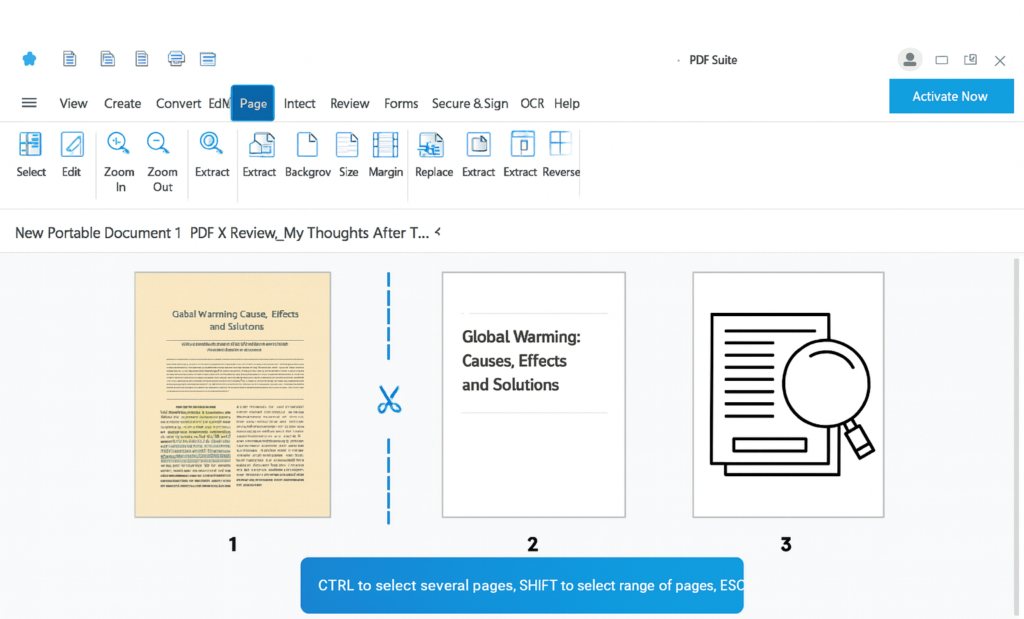
Despite there being hundreds of PDF editing programs accessible today, there are only a select few that provide a balance of Features & Ease of Use vs Price. Below we will review 4 commonly used PDF editing programs based on the types of consumers and their work habits.
UPDF Pdf Editor
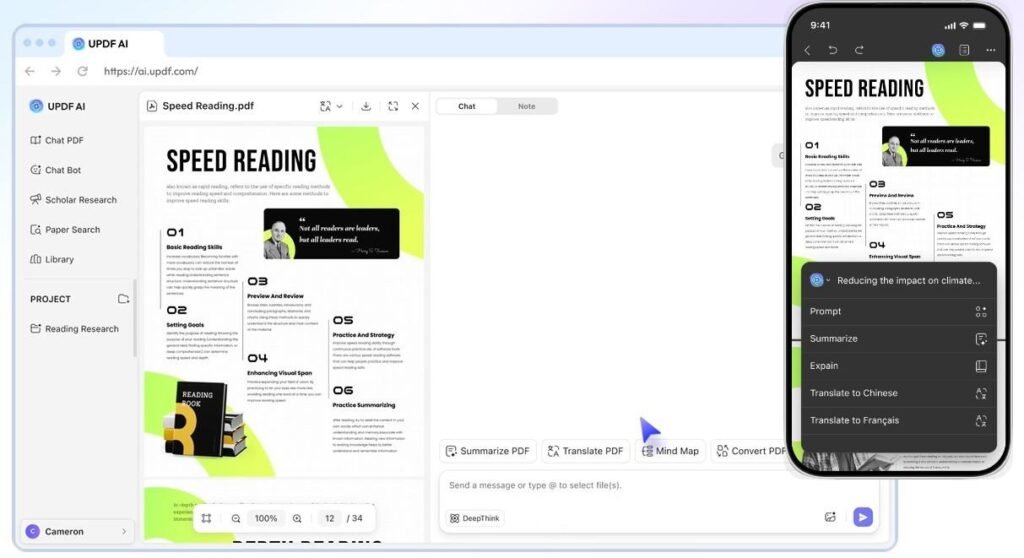
UPDF is a modern PDF editing tool designed for those who want ease of use and beauty at the same time. Unlike other PDF editing tools, UPDF provides users with quick access to all the most popular PDF functions without the need to navigate through endless menus. Additionally, UPDF is designed for users, freelance individuals, teachers, small businesses, and anyone else who needs to edit or create PDFs every day.
Key Feature
Through UPDF’s software users can directly edit their documents including text images and links within PDF. Fully functional annotation tools including highlighting comment, underline, and adding stamps to provide other users quick reference to comments made and how they were addressed. Additionally, UPDF provides users the means to convert PDF files into other formats such as Word, Excel, PowerPoint, and image formats. Furthermore, using OCR technology enables users to convert printed documents into an editable format.
Pros
The UPDF interface is designed to be simple, and therefore easy to learn, which helps reduce learning time.
Cons
UPDF does not have as many automated features for larger companies and does not currently support as many third party apps when compared to Adobe Acrobat and other solutions that target enterprise customers.
Adobe Acrobat
Adobe Acrobat is the industry standard for creating and managing PDF documents. Many companies, including Fortune 500 companies, local governments, and private law firms rely on Acrobat because of its extensive feature set, there is virtually nothing you cannot accomplish.
Pros
Acrobat’s reliability establishes its place as an industry standard with tools primarily geared toward the complex workflow of compliance & workflows among other advanced PDFs. The collaborative aspects are beneficial when working as a team.
Cons
The subscription costs can be expensive for individuals or teams of fewer than 5 people; it can also pose too many complexities for users that only require basic editing features. Acrobat is also an extremely resource heavy program, hence Adobe Acrobat is perfect for organisations with a complex/documentation and compliance structure.
Foxit Pdf Editor
Foxit Pdf Editor is an experienced application that focuses on the provision of a comprehensive and professional set of editing tools while providing an appropriately smooth running system. As a product focused on providing users with high performance and ease of use, Foxit Pdf editor provides strong editing capabilities.
Features:
Foxit Programs allow users to edit images and text while also allowing users to publish and collaborate with other team members on documents through the ability to annotate documents together, as well as to provide users with secure documents through the ability to redact documents and limit user access to documents.
Pros:
The fast performance, flexibility in terms of licensing, and strong collaborative features that Foxit offers make it an excellent option for many businesses and professionals.
Cons.
The PDF Preview application is included at no cost with the macOS operating system and can be used for basic PDF document manipulation (examples: adding or removing pages; adding or removing a signature).
PDF Preview
The use of a macOS default application called PDF Preview allows for simple Viewing of PDF documents as well as the ability to perform minor changes to PDF files. PDF Preview is not an entire PDF editing program. However, it serves basic tasks very well.
Features
You can make notes on the document, change the order of the pages and insert text notes into the PDF. The process of working with PDF documents in this application is simple and easy to do.
Pros
PDF preview is a completely free program that takes only a few minutes to install. It is automatically packaged with all MAC Operating systems.
Cons
Other programs such as PDF Pro office offer more advanced options for editing and converting PDF files, including the use of Optical Character Recognition (OCR) and providing security features to prevent readers from copying text, blurry images or Replicated App.
What To Look For In A Pdf Editor?
Choosing the right daily usable reliable PDF editor is important because each PDF editor is very specific about its features. Differences between PDF files and daily usage determine the user’s PDF Editor Preferences. For example, users should consider how easy it is to edit PDF, how secure you want your PDFs, cost savings/cost effectiveness. A company processing contracts should look for a PDF editor with strong security features and full editing capabilities.
Why The Right PDF Editor Will Improve Work Accuracy?
Efficiency doesn’t just mean accomplishing something quickly, but also doing it correctly. Editing a document in PDF format stops issues from arising due to poor formatting from previous versions of that document. An effective PDF editor will enable users to change, create or alter a file; thus improving the user’s experience for clarity and decreasing the potential for errors during review/approval stages of the workflow.
Securing And Tracking Pdf In Pdf Workflows
Security is an important part of managing electronic documents. Texts, financial statements, and personal data need to be protected. A top pdf editor should give you options to securely store documents (i.e., by creating passwords or having limited permissions to edit) and allow users the opportunity to edit without using the software. This enables users to share sensitive company information with increased security and support compliance with regulations.
Conclusion
The demand for high-quality PDF editors is growing quickly. Today’s digital workplaces rely heavily on quality tools that allow for efficient and effective document editing and collaboration while securely storing files. Some tools are more expensive than others. Many users are using inexpensive tools that integrate ease-of-use, efficient document creation capabilities, and low-price points with full operational capabilities from companies like Adobe Acrobat and Foxit.
Also Read: Free PDF Tools That Actually Work – No Hidden Limits