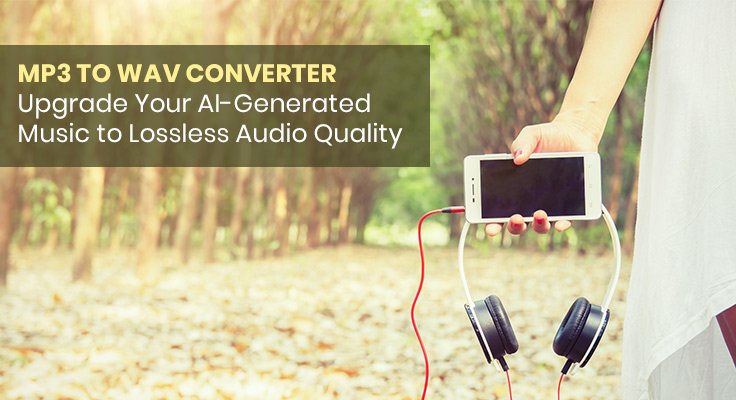
Every professional audio workflow eventually hits the same wall: a high-quality composition trapped in a compressed MP3 file, losing the audio fidelity it needs for broadcast, sync licensing, or studio production. SongAgent AI Music Agent solves this with its built-in MP3 to WAV Converter — a one-click audio format upgrade that preserves the original integrity of your recordings while delivering the lossless WAV quality that professional music production demands.
Whether you are a producer submitting tracks for sync licensing, a podcaster upgrading audio assets for broadcast distribution, a content creator preparing music for video post-production, or a musician archiving compositions at professional quality, SongAgent’s MP3 to WAV Converter makes the upgrade seamless and instant.
Why WAV Format Matters for Professional Music Production
MP3 is a compressed audio format — it achieves smaller file sizes by permanently removing audio data that a compression algorithm determines is less perceptible to the human ear. This works well for streaming and casual listening, but the data removal is irreversible, and the resulting file lacks the full frequency response and dynamic range of the original recording.
WAV (Waveform Audio File Format) is an uncompressed, lossless format that retains every sample of the original audio exactly as recorded:
- Full frequency range — No high-frequency roll-off from compression, preserving the complete spectral content of the mix
- Full dynamic range — No dynamic compression artifacts, maintaining the full loudness variation between quiet and loud passages
- No generation loss — WAV files do not degrade with repeated export and re-import cycles, unlike MP3 which compounds compression artifacts on each re-encode
- Industry standard for professional delivery — Sync licensing, broadcast submission, mastering, and studio delivery workflows universally require WAV format
For AI-generated music specifically, preserving output at WAV quality ensures that the full detail of the AI’s composition — the nuance of the instrumentation, the clarity of the mix, the subtlety of the dynamics — reaches the final production without compression loss.
How SongAgent MP3 to WAV Converter Works
- Upload your MP3 file — Upload any MP3 track to the SongAgent platform directly — no third-party software, no desktop application required
- Convert with one click — The converter processes the file instantly, preserving the original recording’s integrity throughout the format transformation
- Download the WAV output — Export the converted WAV file ready for immediate use in any professional production workflow — DAW import, mastering, broadcast delivery, or sync licensing submission
Core Capabilities of SongAgent AI
The MP3 to WAV Converter is one component of SongAgent’s comprehensive AI song generation suite — a full-stack music production platform covering creation, lyricism, audio enhancement, and professional export from one interface.
Song Creation
- AI Song Generator — Dual creation pathways: Custom Mode for full control over lyrics, titles, and style elements; Simple Mode for intelligent keyword-driven generation. Covers all genres from pop and hip-hop to orchestral and ambient, with outputs ready for immediate professional use.
- AI Lyrics Generator — Generates lyrics from concepts or keywords with perfect alignment to your song’s mood and style — ideal for overcoming writer’s block or exploring new lyrical directions without starting from a blank page.
- Text or Lyrics to Song — Converts any written text or existing lyrics into complete musical arrangements, transforming words into professionally orchestrated compositions that match the lyrical content in structure and emotion.
Audio Processing & Export
- Vocal Remover — Separates vocals from instrumentals in any audio file with precision, producing clean instrumental versions and isolated vocal tracks for remix creation, karaoke preparation, and backing track development.
- Extend Song — Generates longer versions of any track while preserving its original character, instrumentation, and sound fidelity — essential for film scoring, game audio loops, and live performance sets.
- Get Stems — Exports up to 10 individual instrument stems per track for full DAW-level control over the final mix.
The most efficient MP3 to WAV workflow on SongAgent runs as a single uninterrupted production session: generate your track in the AI Song Generator at the quality level your project requires, use Extend Song if the piece needs greater duration for its intended context, and convert the final output to WAV format before export — all within the same platform session without switching tools or re-uploading files. By generating and converting inside the same workflow, the WAV output you deliver for sync licensing, broadcast, or mastering reflects the full audio quality of the original AI composition with no intermediate compression losses.
Who Needs MP3 to WAV Conversion
- Sync Licensing Submission — Licensing platforms and music supervisors universally require WAV delivery for broadcast and film use. Submitting a compressed MP3 disqualifies a track from consideration on most professional sync licensing portals before it is ever reviewed.
- Mastering — Mastering engineers work from uncompressed source files to apply accurate EQ, dynamic processing, and loudness normalization. An MP3 source file introduces compression artifacts that a mastering chain cannot remove, compromising the final output regardless of the engineer’s skill.
- DAW Production — Importing compressed MP3 into a DAW introduces artifacts that compound with each additional processing stage. Every effect, EQ adjustment, and bounce applied to an MP3 source degrades the audio further — WAV eliminates this compounding loss from the first import.
- Broadcast Distribution — Radio, podcast networks, and streaming platform delivery specifications require lossless audio to meet platform quality standards. WAV ensures the submitted file passes technical review and reaches the audience at the intended quality level.
- Video Post-Production — WAV audio syncs accurately in video editing timelines without the frame-offset issues that MP3 compression can introduce. For dialogue, narration, and music bed alignment in professional video workflows, WAV is the standard format for reliable sync accuracy.
- Archive and Backup — Archiving at WAV quality ensures no generational loss when a file is re-used in future projects. An MP3 archive re-encoded for a new project compounds the original compression loss — a WAV archive remains identical to the source recording regardless of how many times it is re-used.
Pricing — MP3 to WAV Converter Access Across All Plans
MP3 to WAV conversion and WAV downloads are included on every SongAgent plan, including the free tier.
| Plan | Monthly Price | Annual Price | Key Features |
| Free | $0 | $0 | 5 credits at login; MP3 & WAV download, Vocal Separation, Stems, Private Generation |
| Starter | $9.9/mo | $8.3/mo ($100/year) | 2,400 credits/year; 1,200 generations (2,400 songs); full WAV export |
| Pro | $29.9/mo | $25.0/mo ($300/year) | 9,600 credits/year; 4,800 generations (9,600 songs); priority processing |
| Max | $49.9/mo | $41.7/mo ($500/year) | 21,600 credits/year; 10,800 generations (21,600 songs); maximum volume |
All plans include WAV downloads, Vocal Separation, Get Stems (up to 10 stems), and Private Generation. Save 15% on all paid plans with annual billing.
Conclusion
Professional audio production starts with professional audio quality. SongAgent’s MP3 to WAV Converter gives creators the ability to upgrade any AI-generated or existing track to lossless WAV format instantly — preserving the full sonic detail of the original recording and delivering a broadcast-ready file for sync licensing, mastering, DAW production, or archive use, all from within the same platform where the music was created.
Upgrade your audio quality free at songagent.com — no credit card required to start.