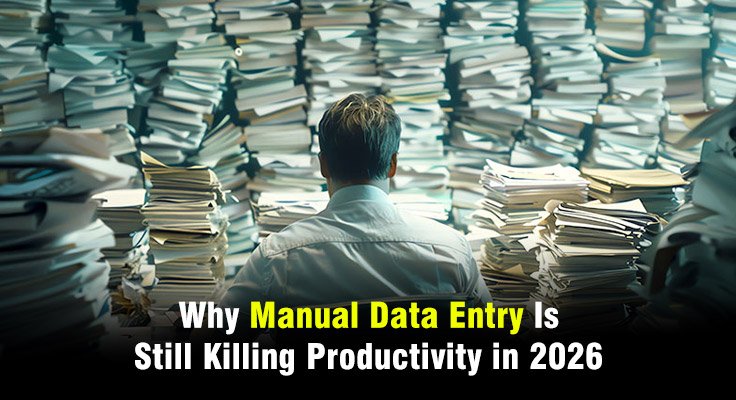
Many companies still rely on manual data entry to move information from documents into business systems. Teams type numbers from invoices, forms, PDFs, emails, and spreadsheets every day, and as a result, operations slow down, error rates increase, and hours of employee time are consumed.
The problem has become more visible in 2026. Businesses process more documents than ever before, and the complexity continues to grow. This directly affects document-heavy industries. For example, mortgage lenders review large loan files. Insurance teams handle claims, policy forms, and supporting records. Finance departments manage thousands of invoices each month. Engineering teams analyze drawings filled with specifications and measurements.
Manual data entry struggles to keep up with this volume. Employees spend time copying information instead of doing higher-value work. Errors appear as data moves between systems. Workflows slow down while teams review and correct mistakes.
This article explains why manual data entry continues to reduce productivity in 2026. It also explains how automation technologies reduce the burden of document processing and improve operational performance.
What Is Manual Data Entry
Manual data entry is the process of reading information from a document or source and manually typing that information into a digital system. This often involves copying values from one place to another.
For example, a loan processor may read a borrower’s pay stub, bank statement, or tax return and manually type the income, account balances, or employment details into the loan origination system. The processor may also review supporting documents such as W-2 forms or credit reports and enter the required values into different fields within the system. The task requires concentration, accuracy, and time.
Examples of Manual Data Entry Processing
Manual data entry appears in many daily workflows. Employees often transfer information from documents into business platforms.
Common examples include:
- Entering invoice details into accounting software
- Typing customer information from forms into CRM systems
- Copying loan data from mortgage documents into loan origination systems
- Recording insurance claim details from scanned documents
- Entering product specifications from engineering drawings
- Updating spreadsheets with operational data
These tasks repeat across departments. Each entry requires human effort. The work also increases the chance of mistakes.
Types of Manual Data Entry Processes
Manual data entry takes several forms depending on the workflow.
Online data entry: Employees input information directly into web portals or internal software platforms.
Offline data entry: Teams copy information from documents into spreadsheets or databases for later upload.
Form data entry: Employees type values from printed forms or scanned PDFs into systems.
Document transcription: Teams read text from documents, images, or handwritten notes and convert it into digital format.
Each type depends on human effort. As document volumes grow, these processes become difficult to scale.
Where Manual Data Entry Appears in Document-Heavy Workflows
Manual data entry often appears in document-driven industries.
Organizations handle large volumes of documents that contain critical information. Employees must capture that data before systems can use it.
Typical workflows include:
- Mortgage loan processing
- Insurance claims review
- Accounts payable invoice entry
- Healthcare patient records
- Engineering drawing analysis
Each workflow requires accurate data extraction. Manual entry slows the process and increases operational risk.
Challenges of Manual Data Entry
Manual data entry may appear simple, but it creates several operational challenges. As document volumes increase, manual work becomes slower, more error-prone, and harder to scale. These issues affect productivity, data accuracy, and overall workflow efficiency across many industries.
Human Errors and Data Accuracy Issues
Humans make mistakes during repetitive tasks. Manual data entry increases the chance of incorrect values.
Common errors include:
- Typing incorrect numbers
- Missing fields
- Misreading handwritten text
- Entering data in the wrong format
These mistakes spread across systems. Teams often spend time correcting errors after they appear. Error correction can consume more time than the original data entry.
Time-Consuming Repetitive Work
Manual data entry consumes significant employee time. Workers repeat the same action hundreds of times during a shift.
For example, an accounts payable specialist may process hundreds of invoices each week. Each invoice requires reading data fields and typing them into a system. The work does not require strategic thinking. Yet it occupies hours that employees could spend on analysis or decision making.
Operational Bottlenecks in Business Processes
Manual entry slows entire workflows. Systems cannot move forward until the data becomes available.
Consider a mortgage workflow. Loan files may contain hundreds of pages. Employees must review documents and enter details into the loan system. If entry takes too long, underwriting decisions are delayed. Customers wait longer for approvals. Operations teams experience workflow congestion.
Scaling Problems in High-Volume Workflows
Document volumes continue to grow across industries. Businesses receive more invoices, claims, and forms each year.
Manual data entry does not scale easily. The only way to increase capacity is to hire more staff. Hiring additional staff increases operational costs. Training new employees also requires time and supervision. Automation offers a more efficient method for handling increased document volumes.
Compliance and Audit Risks
Many industries operate under strict regulatory frameworks. Mortgage lenders, insurance companies, and financial institutions must maintain accurate records. Manual entry increases compliance risk. If employees record incorrect values, regulatory reports may contain errors.
Auditors may also struggle to verify the source of manually entered data. This lack of traceability creates additional operational pressure during audits.
Employee Productivity Loss
Manual data entry reduces workforce productivity. Employees spend time on repetitive work instead of tasks that require judgment.
Highly skilled professionals may still perform basic data entry tasks. This use of talent reduces organizational efficiency. Many employees also find repetitive typing work frustrating. Low job satisfaction can lead to higher turnover rates.
Why Companies Still Use Manual Data Entry
Many organizations still rely on manual data entry even though automation tools are widely available. Existing systems, process habits, and concerns about accuracy often keep teams dependent on manual work. As a result, employees continue to spend time entering data instead of focusing on higher-value tasks.
Legacy Systems and Fragmented Technology
Many organizations rely on legacy systems that lack automation capabilities.
Older systems often require employees to input data manually. Integration between platforms may also be limited. Companies hesitate to replace legacy systems due to cost and operational disruption. As a result, manual data entry continues to support existing workflows.
Complex Document Workflows
Documents often contain unstructured information. Data may appear in different formats across files. For example, mortgage documents may include tax forms, bank statements, and employment records. Each document contains different fields and layouts.
Manual entry becomes the default method for capturing information when systems cannot interpret these documents automatically.
Human Verification Requirements
Certain processes require human oversight. Compliance teams may need employees to verify critical data fields.
Organizations sometimes rely on manual entry as part of this verification process. Staff members review documents and record the information they confirm. Automation systems now support validation workflows. However, some companies still depend on manual methods.
Lack of Automation Awareness
Some organizations simply lack awareness of modern automation technologies.
Decision makers may believe manual data entry remains the most reliable method. They may also assume automation systems cannot handle complex documents. This perception delays digital transformation efforts.
Industries Where Manual Data Entry Can Be Easily Automated
Manual data entry appears across many industries that rely on large volumes of documents. Teams often read forms, reports, and records before entering the information into digital systems. In several cases, these tasks follow clear patterns and structured formats, which makes them well suited for automation. The following industries contain document workflows where manual data entry can be replaced with automated processing.
Mortgage and Loan Processing
Mortgage operations depend heavily on documents, and loan files often exceed thousands of pages. Teams review income statements, credit reports, tax forms, and verification documents before entering the required data into loan systems.
Much of this work involves capturing information such as borrower income, employment details, and asset balances. These tasks follow predictable patterns, which makes them suitable for automation. Automated mortgage document processing can extract these data fields directly from mortgage documents, reducing the need for manual typing and helping lenders process loans faster.
Insurance Claims and Policy Workflows
Insurance companies manage large volumes of claims forms, incident reports, photographs, and policy records. Before claims can move forward, teams must capture key information from these documents.
Much of the data required for claims processing follows structured formats such as claim numbers, policy details, and incident information. Insurance document automation tools can read these documents and capture the relevant fields automatically. This reduces manual work and helps claims teams review cases more quickly.
Finance and Accounts Payable
Accounts payable teams handle invoices from vendors and suppliers across many departments. Each invoice contains fields such as vendor name, invoice number, payment amount, and payment terms.
Employees often read each invoice and manually record the data in accounting systems. In large organizations, this process repeats thousands of times every month. Because invoices follow consistent formats, invoice automation systems can capture invoice data automatically and send it directly to financial systems, reducing manual effort.
Healthcare Documentation
Healthcare providers maintain patient records, insurance forms, laboratory reports, and other medical documentation. Administrative staff frequently enter patient information into electronic health record systems.
Many of these documents contain structured data such as patient details, insurance numbers, and treatment codes. Automation tools can capture this information directly from documents and transfer it into healthcare systems. This reduces administrative workload and helps healthcare staff focus more on patient care.
Engineering Drawings and Technical Documents
Engineering drawings contain specifications, measurements, symbols, and component details required for production planning. Engineers and operations teams often review these documents to extract key parameters before manufacturing begins.
Manual interpretation of technical drawings takes time and increases the risk of misreading measurements. Image recognition systems for engineering drawings systems can analyze drawings and capture specifications directly from the document, allowing engineering teams to work with accurate data faster.
Manual Data Entry vs Automated Data Entry
| Aspect | Manual Data Entry | Automated Data Entry |
| Speed | Employees must read documents and type information manually. Processing speed depends on staff availability and workload. | Automation systems capture data within seconds. AI reads documents and extracts values quickly, even when processing large volumes. |
| Accuracy | Human accuracy decreases during repetitive work. Fatigue and distractions increase the chance of mistakes. | Automation systems follow consistent extraction rules. Machine learning models improve accuracy as they process more documents. |
| Operational Efficiency | Employees perform multiple steps such as reading documents, typing data, and reviewing entries. These tasks consume time and resources. | Automation systems perform these steps automatically. Employees mainly review exceptions instead of processing every document. |
| Scalability | Organizations must hire more staff to handle increasing document volumes. | Automation scales through computing resources, allowing organizations to process higher volumes without increasing workforce size. |
How to Automate Manual Data Entry
Automating manual data entry starts with understanding where repetitive document work exists in business processes. Organizations must identify tasks where employees spend time reading documents and typing information into systems. The following steps explain how businesses can move from manual data entry to automated data processing.
Step 1: Document Intake and Data Capture
Automation begins with document intake. Systems receive files from email, portals, or document repositories. The platform prepares documents for processing.
Step 2: AI-Based Data Extraction
Artificial intelligence analyzes the document and identifies key fields. The system reads text, numbers, and structured values. Extraction engines locate data across different document layouts.
Step 3: Cross-Document Validation
Automation systems compare information across related documents. For example, income values from a pay stub may be compared with values on a loan application. This verification improves accuracy.
Step 4: Human-in-the-Loop Review
Automation systems route exceptions to human reviewers. Employees review flagged fields rather than entire documents. This approach reduces manual workload.
Step 5: Integration with Business Systems
Automation platforms connect with enterprise systems such as ERP, CRM, or loan platforms. Extracted data flows directly into business applications.
Advantages of Automated Data Entry
Automated data entry improves how organizations handle large volumes of documents. By replacing repetitive typing tasks with automated systems, businesses can process information faster, reduce errors, and improve overall operational efficiency.
Faster Document Processing
Automation platforms process documents much faster than manual workflows. Teams receive structured data almost immediately after document intake.
Improved Data Accuracy
Machine learning models identify patterns and validate extracted values. Accuracy improves as the system processes additional documents.
Reduced Operational Costs
Automation reduces the need for large data entry teams. Organizations save labor costs while increasing productivity.
Better Compliance and Audit Readiness
Automation platforms maintain clear records of data extraction and validation steps. Audit teams can trace each value to its source document.
Scalable Enterprise Workflows
Automation systems support high document volumes without increasing staff. Organizations can expand operations while maintaining efficiency.
Technologies That Replace Manual Data Entry
Several technologies now replace manual data entry in document-heavy workflows. These tools read documents, capture key data fields, and transfer the information directly into business systems. By using these technologies, organizations can reduce repetitive typing tasks and process large volumes of documents more efficiently.
Optical Character Recognition (OCR)
OCR technology converts printed or handwritten text into machine-readable data. OCR forms the foundation of many document processing systems.
Intelligent Document Processing (IDP)
IDP platforms like Infrrd combine OCR, machine learning, and automation. These systems extract structured data from complex documents and route it into business systems.
Robotic Process Automation (RPA)
RPA software automates repetitive system actions.
Bots move data between applications and complete routine tasks.
Agentic AI
Agentic AI systems act as autonomous digital workers that analyze documents, make decisions based on rules and context, and trigger actions across systems. These systems can validate extracted data, handle exceptions, and coordinate document workflows with minimal human intervention.
Best Practices for Eliminating Manual Data Entry
Eliminating manual data entry requires a structured approach. Organizations must evaluate where repetitive data entry occurs and introduce automation tools that can capture and process information directly from documents. The following best practices help businesses reduce manual work and build more efficient data workflows.
Identify High-Volume Document Workflows
Organizations should begin with workflows that process large document volumes. Invoice processing and loan documentation are common starting points.
Measure Baseline Productivity Metrics
Teams should measure processing time, error rates, and document volume before automation. These metrics help track improvement after automation deployment.
Start with Automation Pilots
A pilot program allows organizations to test automation in a controlled workflow. Teams can evaluate performance and refine processes before expanding.
Scale Automation Across Departments
Once automation proves effective, organizations can expand it to additional document workflows. This approach creates consistent operational improvements.
FAQs About Manual Data Entry
Q. What is manual data entry?
Manual data entry is the process of typing information from documents or sources into digital systems. Employees read data and enter it into databases or software platforms.
Q. Why is manual data entry inefficient?
Manual entry requires human effort and time. The process slows operations and increases the chance of errors.
Q. What are the risks of manual data entry?
Risks include data errors, workflow delays, compliance issues, and increased operational costs.
Q. How can companies automate data entry?
Organizations can implement document automation systems that extract data from documents using artificial intelligence.
Q. What tools replace manual data entry?
Technologies such as OCR, intelligent document processing platforms, and robotic process automation replace manual entry tasks.
Q. How accurate is automated data entry?
Automation systems often achieve higher accuracy than manual processes. Machine learning models improve as they process additional documents.
Q. Which industries rely heavily on manual data entry?
Mortgage lending, insurance operations, finance departments, healthcare providers, and engineering teams frequently rely on document data entry.
Q. What is intelligent document processing?
Intelligent document processing uses artificial intelligence to read documents, extract information, and deliver structured data to business systems.