

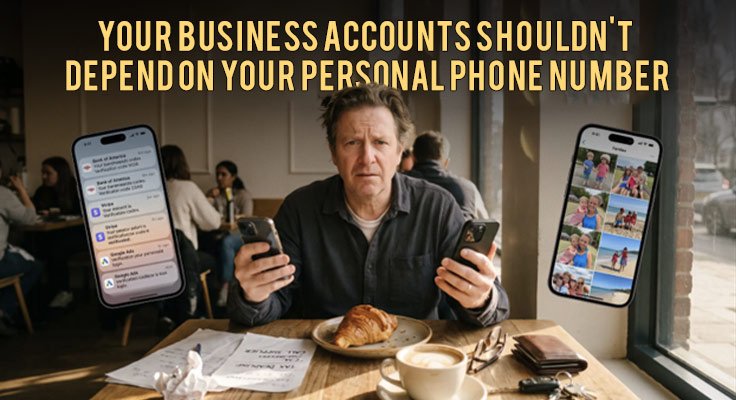
The last time you logged in to your business bank account, the code probably arrived on your personal phone, next to your family chats and photos.
For many small businesses, the payment account, the ad account, the domain and the main email login all point to one number: the owner’s personal mobile. It works, until something goes wrong.
A second phone number for business, used only for company accounts, takes that weight off your personal line. Here is what can go wrong, and how to switch without getting locked out.
Where your personal number is already exposed
Nobody decides to make their personal number the key to the business. It happens one sign-up at a time.
- Your bank and payment processor send login codes and approval texts to it.
- Your email provider and domain registrar use it to reset a lost password.
- Ad platforms, marketplaces and social pages ask for it to verify the account.
- Software tools and suppliers store it in their customer records.
Each account now treats that number as proof that you are you, and each company that stores it is one more database that could leak.
What can go wrong when one number holds every account
The problem is not the phone. It is that one number has become the master key to the business.
Security. In a SIM swap, someone tricks a mobile carrier into moving your number to a new SIM card. From that moment, your codes go to them. They can then reset every account tied to that number, often before you notice your phone has lost signal.
Staff changes. When every code goes to the founder’s phone, nobody else can log in without them. A bookkeeper waiting on a bank code has to call you. And when someone leaves, untangling which accounts used whose number takes hours.
Privacy. Your personal number ends up on supplier forms, invoices and sign-up pages. Over time that brings more spam and more scam texts that pretend to come from your bank.
Continuity. Lose your phone or change carriers, and the codes stop arriving. Recovering a business account without its number can take days.
Who needs a separate number most
Some situations make the case very clearly.
- The e-commerce seller. Your store, payment processor and marketplace accounts all need verification. A dedicated number keeps them apart from your family phone.
- The agency. You manage ad and social accounts for clients. A business number lets the team reach codes without the owner’s mobile.
- The founder hiring a first employee. Move accounts off your personal phone before access becomes a daily bottleneck.
- The owner who travels. Roaming or a local SIM abroad can stop codes reaching your usual number. A number you can check from a browser goes with you.
If you sell in other markets, a local number helps when a platform there expects one. Quackr offers a US business phone number, a UK phone number, a Canadian phone number and an Australian phone number, along with numbers in more than a dozen other countries.
Your options for a second business number
Pick by the job. Customer calls need a full phone line. Login codes need a number that banks and platforms will accept.
- VoIP apps such as Google Voice or TextNow. Cheap calls and texts over the internet. The catch is that many banks and platforms refuse VoIP numbers for verification codes.
- An eSIM or second SIM. A full second line with calls and texts. It needs a compatible phone and its own mobile plan.
- A private non-VoIP number. A dedicated, carrier-issued number built for receiving verification codes privately. It can receive texts only. It cannot send texts or make calls.
Many platforms check whether a number belongs to a mobile carrier before they send a code. A carrier-issued number is far less likely to be refused.
Many businesses end up using two tools: an eSIM or second SIM for customer calls, and a private non-VoIP number for account verification. If you want to compare second-number apps such as Hushed, look at what each one actually includes. Quackr ID, for example, combines a private number with an alias email, virtual cards and a password manager in one subscription.
How to move your business accounts to a second number
Do it in order, so no account is ever left without a working number.
- List the accounts that matter most. Start with banking, payments, business email, your domain and your ad accounts.
- Get a dedicated non-VoIP number. Quackr offers a second phone number for business, rented for one week, one month, six months or one year. Numbers activate instantly, with no SIM card or second handset needed.
- Add the new number first. In each account, add it as a second contact or recovery method.
- Test that the code arrives. Trigger a login or a test code and check it reaches the private dashboard, in the browser or the Quackr app.
- Then remove your personal number. Only once the new one works.
- Record access in a shared password manager. Store the dashboard login where your team can reach it.
Mistakes to avoid
- Letting the rental lapse. If your business accounts depend on the number, treat it like your domain name. Set a reminder well before it ends.
- Removing the old number before testing. Always confirm a code reaches the new number first.
- Using a VoIP number for the bank. You may only find out it is refused during a login. Use a carrier-issued number for key accounts.
- Expecting to call customers from it. A verification number receives texts only. Give customers a separate line for calls.
- Keeping the login with one person. If only you can open the dashboard, you have rebuilt the original problem.
A small change that protects the whole business
Your personal phone should be for your personal life. Moving business verification to its own number means a lost phone, a SIM swap or a staff change no longer puts every account at risk.
Start with the accounts you could least afford to lose, test each one, and keep the number active.
Frequently asked questions
Do I need a second phone number for my business?
Yes, if your business accounts send login codes and password resets to your personal mobile. It lowers the risk of losing every account at once and makes staff access easier.
Can I use Google Voice for business verification?
Sometimes, but many banks and platforms refuse VoIP numbers for verification codes. A private number from Quackr is non-VoIP and carrier-issued, so it is far less likely to be refused.
Can I make calls or send texts from a Quackr number?
No. Quackr private numbers are receive-only. For customer calls, use an eSIM or a second SIM alongside it.
Who else can see the codes sent to my number?
Nobody else. A Quackr private number is dedicated to the buyer, and codes arrive 24/7 in a private dashboard that only you can access.
What if a service rejects the number?
Each service sets its own rules, so test one account first before you move everything. Quackr backs its private numbers with a money-back guarantee, and every rental includes a private @quackr.id email.
Quackr, founded in 2019, provides private non-VoIP phone numbers for receiving verification codes and has been used by more than 3 million people. Learn more at quackr.io.