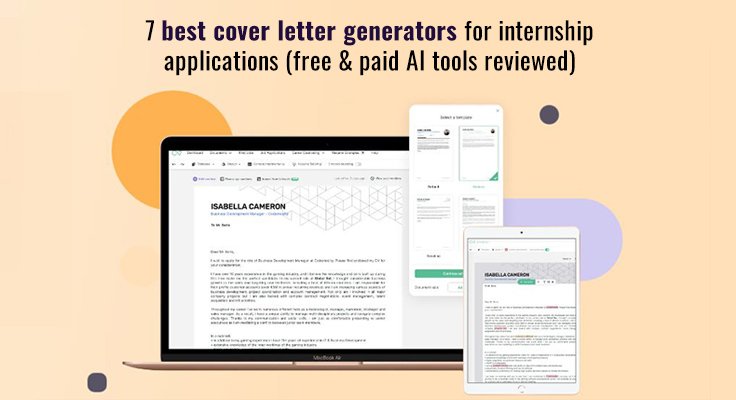
Cover letters feel like homework no one assigned—yet 89 percent of recruiters still expect one before granting an interview. That puts interns in a squeeze: spend hours polishing a page that may never be read, or skip it and look unprepared. Fortunately, AI-powered generators now draft, format, and keyword-tune a letter in minutes, so you can focus on classes, projects, and pressing “submit.”
This guide breaks down what makes a generator internship-ready—personalization, ATS friendliness, data privacy, and student pricing—then ranks seven top options side by side. By the end, you’ll know which tool to open, what to tweak, and how to send a letter that sounds like you—only faster.
What internship applicants should look for in a cover letter generator.
Before we compare tools, here’s the yardstick.
First, personalization. You want a draft that sounds like you, not a robotic template. The strongest generators pull details from your field of study, class projects, or part-time work and weave them into fresh sentences you can claim with pride.
Next, ATS compatibility. Most large employers funnel every document through scanning software. Fancy graphics and crowded columns confuse those bots. A clean, text-first format with the right keywords keeps your letter in the running.
Among the tools we’ll cover shortly, Enhancv backs up its ATS promise with a free Resume Scanner that grades your document’s parsability, flags missing section headers, and lists the exact keywords the posting repeats—handing you a compatibility score before you even click download.
Third, privacy. You’re handing over contact info, academic records, and sometimes passport details for international roles. Choose platforms that encrypt data, allow quick account deletion, or, better yet, let you build and download a PDF without logging in.
Finally, cost. Intern life runs on coupons and campus Wi-Fi. Look for generators with a solid free tier, student discounts, or one-time passes. Paying makes sense if the plan bundles résumé and cover-letter tools, but you shouldn’t have to lock into a pricey subscription just to click “download.”
Keep these four filters in mind. They help you tell a shiny gimmick from a genuine time-saver as we walk through the seven contenders.
The 7 best cover letter generators for internships
Career sites track which builders students click most. According to Betterteam’s latest roundup, veterans like Resume Genius and Zety still top the list while newer AI-powered platforms are closing the gap.
With that snapshot in mind, we’ll walk through each contender, starting with the design-focused tool that opens our lineup.
1. Enhancv: design-focused builder with smart AI hints.
Enhancv welcomes you with clean, résumé-matched templates that never feel generic. Choose a layout, paste the internship description, and the tool suggests phrasing that highlights your projects or coursework. You stay in control of tone; the AI simply offers ideas so you never face a blank screen.
Each draft remains ATS friendly. Clean fonts, generous spacing, and a lightweight PDF make parsing easy for recruiters. Because the letter lives in the same dashboard as your résumé, matching styles takes seconds.
Students appreciate the seven-day free pass, enough time to create a résumé-letter pair for a full recruiting cycle. After that, paid plans cost about the same as a monthly streaming service, reasonable if you want unlimited revisions or multiple formats.
Trade-offs exist. The premium look costs a bit more than basic tools, and AI lines still need your personal touch. If you prize sleek design and gentle guidance over one-click automation, Enhancv turns polishing an application into a quick, almost enjoyable task.
2. Novorésumé: elegant templates that dress your application.
Think of Novorésumé as the precise fit specialist. Its gallery houses more than 16 polished layouts—each simple enough for any scanner—so you can scroll the best cover letter templates for your industry before you even start typing. Pick a design and the platform pairs matching résumé and cover-letter styles so both documents feel cohesive.
Guidance is the real draw for interns. As you type, a sidebar suggests phrases tied to your major or industry. Writing to a marketing agency? It prompts you to cite a class campaign or social-media metrics. Aiming for engineering? Expect cues about CAD projects or lab teamwork.
Unlike pure subscriptions, Novorésumé sells a one-time pass. Pay once, keep access for a year, and avoid surprise renewals. A free tier also exists if you need only one letter and accept a single template.
Limits remain. The free plan sticks to one design, and deep color tweaks sit behind the paywall. Still, a modest fee opens every layout plus the AI helper, tightening each paragraph for relevance.
Bottom line: When you need a letter that looks crisp and mirrors your résumé, Novorésumé delivers in under 20 minutes.
3. Kickresume: student-first platform with a generous free pass.
Kickresume feels like a campus career center that never closes. Sign up with a .edu email and the site grants six months of Premium access, no credit card gymnastics required. That window lets you create as many cover letters and résumés as internship season demands.
The interface is as friendly as a study-group chat. A bright progress bar shows where you are in the draft, and an AI helper suggests sentences tuned for applicants with limited experience. Mention a class capstone, club fundraiser, or part-time job that built customer empathy; the tool shapes each detail into crisp, confidence-building lines.
Templates look modern without being flashy. Two remain free forever, suitable for conservative industries. Dozens more sit in the paid tier, though students rarely feel the pinch while their Premium clock runs.
Once you download, no watermark appears in the corner, and Kickresume’s simple blocks help each PDF glide through ATS filters without trouble.
Trade-offs exist. After the student promo ends, the monthly fee rises, and some AI drafts can read a bit generic until you add personal flair. Still, for pure value during those early applications, Kickresume is tough to beat.
4. Resume Genius: lightning-fast wizard when deadlines loom.
Resume Genius feels designed for the night before an application closes. Answer a few plain-language prompts (role, a skill you’re proud of, the hiring manager’s name if you have it) and the site assembles a complete letter while you sip water.
The speed comes from its deep phrase library. Click any paragraph and a carousel of alternate sentences appears, ready to swap in. Need a sharper opener? Two clicks. Want stronger action verbs? Done. Even if you freeze on wording, the tool keeps you moving.
The free preview shows each edit in real time, but downloading triggers a two-week pass that costs less than a latte. That window is plenty to create multiple custom letters plus a résumé refresh.
Mark the calendar, though. If you forget to cancel, the plan renews at full price, and nobody enjoys surprise charges during finals. Also, because many users lean on the same stock phrasing, edit each line until it sounds unmistakably yours.
For sheer speed under pressure, few generators match Resume Genius. It turns panic into polished prose in about fifteen minutes and hands you back precious sleep.
5. Zety: customization hub with a built-in keyword coach.
Zety hands you the steering wheel. Fonts, colors, and line spacing—almost every visual element adjusts in two clicks. If you like tweaking until a document feels uniquely yours, this workspace delivers.
Zety is more than attractive borders. Paste an internship posting into the keyword coach, and the software flags skills or phrases you still need to mention. Think of it as a highlighter that spots gaps before an ATS scanner does.
Drafting is guided rather than automated. The platform suggests openings, closings, and bullet ideas, but you supply the substance. Some applicants enjoy that balance; others prefer fully generated text. Either way, the wizard keeps you moving and warns if paragraphs wander.
Exporting triggers a low-cost, two-week pass similar to Resume Genius. Miss the cancel date and monthly billing begins, though annual plans drop the price to a few dollars. If you need only a weekend to finish applications, the short pass is plenty.
Choose Zety when you crave design freedom and want a second set of digital eyes on keyword coverage. The payoff is a letter that looks custom made and speaks the same language as the job ad, a pairing recruiters notice.
6. Rezi: AI speedster that mirrors the job description.
Rezi leans into its tech roots. Upload your résumé and the internship posting, and the AI drafts a cover letter that echoes the employer’s language. Keywords from the ad flow naturally into sentences, lifting your ATS score with little effort.
The first few generations are free, a welcome perk for students. Even the Basic plan costs less than a campus burrito per month, so volume applicants stay on budget.
Because the engine writes full paragraphs, the draft can read formal. Add personality by swapping a stiff line for a story about your robotics club or the marketing hackathon you loved.
Template options are limited, yet Rezi’s minimalist layout pleases scanners and keeps managers focused on content. If you crave extra style, drop the text into a separate design tool, though most interns simply move on to the next application.
Pick Rezi when you need quantity and keyword accuracy. It acts like a conveyor belt, turning job ads into ready-to-edit letters faster than you can refresh your inbox.
7. CVshaper: no-login, no-cost, no-frills safety net.
Sometimes you need a plain, well-spaced letter, and your wallet is already thin. CVshaper delivers with a single-page form, four clean templates, and a download button that never asks for an email.
Because nothing is stored, privacy worries vanish. Enter your details, click generate, and a distraction-free PDF lands in your downloads folder. That simplicity also keeps every file ATS safe; there are no quirky columns or background graphics to confuse a scanner.
The trade-off is guidance. CVshaper won’t write sentences or suggest stronger verbs. You provide the substance; it supplies the structure. If you freeze at the blank box, pair the tool with a mentor’s feedback or the pro tips later in this guide.
As a backup or starting outline, CVshaper earns its spot. When the deadline is hours away and every premium trial is spent, free and functional beats fancy.
Quick comparison at a glance.
| Tool | Free tier | AI writing | ATS safe | Best for |
| Enhancv | 7-day trial | Yes, phrasing hints | Yes | Design fans who want résumé and letter twins |
| Novorésumé | One basic template free | Yes, phrase prompts | Yes | Polished, matching documents without subscriptions |
| Kickresume | Six-month Premium for students | Yes, OpenAI powered | Yes | Budget-minded interns needing multiple letters |
| Resume Genius | 14-day pass ≈ $2 | Assisted phrases | Yes | Last-minute applications under tight deadlines |
| Zety | 14-day pass ≈ $3 | Keyword coach | Yes | Customization fans who enjoy fine-tuning |
| Rezi | Limited free credits | Full AI draft | Yes | High-volume, keyword-driven submissions |
| CVshaper | Always free | None | Yes | Simple, no-login backups when cash is zero |
Pro tips for turning any generator draft into an interview magnet.
Read the auto-draft aloud first. If a sentence sounds like a chatbot, rewrite until it feels like you talking to a favorite professor. Authenticity cuts through more noise than the fanciest template.
Anchor each paragraph to the internship description. Pick two or three keywords the posting repeats (for example, data analysis, client outreach, or Java) and weave them in naturally. That small tweak lifts both ATS scores and human resonance.
Keep it trim. Recruiters skim hundreds of applications a day, so aim for four brisk paragraphs: a hook, a skills punch, a culture nod, and a confident close. Anything longer risks an eye-roll.
Match your résumé’s look. Using the same font and color palette makes your documents feel like a cohesive brand, not random attachments.
Proof everything twice. Generators handle structure, but they can’t spot that you typed “Goggle” instead of “Google.” A quick peer review or a reading session after a snack break can save your credibility.
Frequently asked questions.
Is using an AI generator considered cheating?
According to a 2023 survey by ResumeBuilder, only 18 percent of hiring managers correctly spotted AI-written cover letters, while 82 percent said they usually can’t differentiate. Some view AI help as unfair, but most care more about clarity and honesty than which keyboard produced the first draft. Edit the output, add personal details, and you stay on solid ethical ground.
What’s the best completely free option for interns?
If your budget is zero, CVshaper wins on simplicity and price; it never asks for a login or payment. Need AI help without spending? Pair CVshaper’s template with Rezi’s limited free credits or Kickresume’s six-month student pass to generate content at no cost.
Will these templates pass an applicant tracking system?
Yes. Every tool on our list produces clean PDFs or Word files with standard fonts and logical headings. Avoid adding images or text boxes after download, weave in keywords from the job post, and your letter should glide through scanners just like your résumé.
Conclusion
Choose the generator that fits your budget and workflow, personalize its draft, and send an application that stands out—fast.