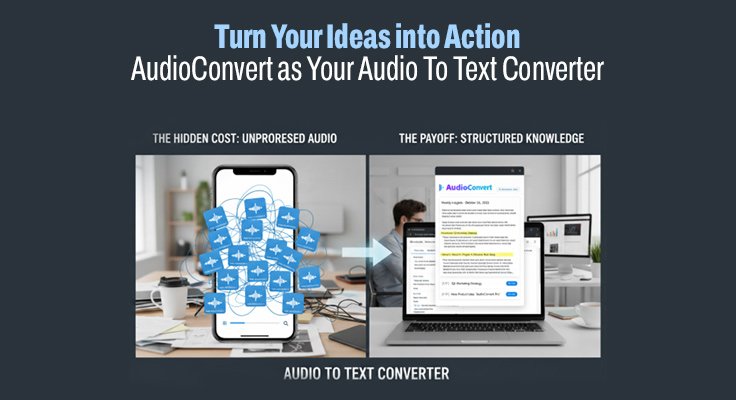
We’ve all had it happen: an idea blindsides you mid-commute, or a fix to that nagging project pops up halfway through a morning walk. You instinctively grab your phone and spill a quick voice memo, exhaling like the thought’s tucked safely in a bottle. But here’s the uncomfortable truth: those clips turn into a dusty digital attic—messy, mislabeled, and almost never revisited. To be honest, the human brain is an incredible engine for generating ideas, but it is a poor filing cabinet for raw audio files.
The Hidden Cost of the “New Recording” Syndrome
The problem with relying on voice notes isn’t the recording process itself; it’s the retrieval tax. When you have a dozen files named “New Recording 1” through “New Recording 12,” the mental energy required to find that one specific insight is often higher than the value of the thought itself. In my experience, most professionals eventually abandon their voice memo habit because the effort of re-listening to minutes of rambling just to find a ten-second “aha” moment is a massive productivity sink.
Why Visual Scanning Trumps Linear Listening
There is a fundamental reason why we prefer text over audio for deep work: skimmability. You can scan a page of text for keywords in seconds, but audio forces you to listen in real-time. This linear constraint makes audio an inefficient medium for a fast-paced professional life. I’ve found that the real frustration kicks in when you remember you said something important, but you have to scrub back and forth on a tiny playback bar, guessing where the insight might be buried.
Moving Beyond the Mental Burden of Unprocessed Data
Every unprocessed voice note on your phone is a form of open loop—a task your brain knows is unfinished. This creates a subtle but persistent cognitive load. I’ve noticed that when I don’t have a system to “clean” these audio files, I stop recording new ideas altogether because I subconsciously know I won’t do anything with them. To make voice notes a viable part of a high-performance routine, we need a way to move them out of the phone and into a searchable, editable format immediately.
Turning Spoken Inspiration into Structured Text
The transformation starts the moment you stop treating your phone as a simple recorder and start treating it as a high-speed intake valve for your knowledge base. By integrating a reliable audio to text converter into your workflow, you essentially eliminate the manual labor of transcription. Instead of spending an hour on Sunday transcribing your week’s thoughts, you can have them ready in minutes. This allows you to see the logic of your arguments on a screen, where you can tag, edit, and move them into your project management tools.
High-Fidelity Capture for the Modern Professional
One of the biggest hesitations I see with AI tools is the fear of inaccuracy, especially when dealing with industry-specific jargon or fast-paced speech. However, a professional-grade audio to text converter is now remarkably adept at picking up context. I’ve found that even a transcript with minor errors is infinitely more useful than a 100% accurate audio file that remains unplayed. It gives you a “first draft” of your thoughts that you can refine, rather than a black box of sound that you have to decode manually every time.
Precision Timecoding as a Creative Map
A feature I’ve come to rely on heavily in tools like AudioConvert is the precision of timestamps. I’ve noticed that during a five-minute brain dump, I usually have about thirty seconds of pure clarity surrounded by several minutes of “thinking out loud.” With accurate timecoding, I can jump straight to those high-value moments. It transforms the transcript from a wall of text into a navigable map of my own thought process, allowing me to extract the “gold” and discard the fluff with surgical precision.
Managing Multimedia Insights in a Fast-Paced Workflow
In our current work environment, sometimes a voice note isn’t enough. We often record quick screen-shares or video walkthroughs to explain a complex UI change or a strategic shift. These files are incredibly rich, but they are also heavy. If you are sharing these with a team, the technical logistics of managing large media files can quickly become a bottleneck that kills the momentum of the original idea.
Efficiency Through a Smart video compressor
Whenever I incorporate video into my spontaneous capture routine, I have to be pragmatic about the file size. I’ve learned that it’s almost always better to run a recording through a video compressor before uploading it for transcription or sending it to a colleague. This ensures that the file remains light enough to move through the pipeline without friction, while the visual context remains sharp. A compressed file uploads faster, meaning your audio to text converter output is ready sooner, keeping your workflow agile and your storage manageable.
AI Summarization as a Thinking Partner
The most significant shift in recent years is the ability to generate an AI-driven summary of a long recording. I often “talk it out” for twenty minutes just to solve one complex problem. Reading that entire transcript can be overwhelming, but a concise AI summary acts as a professional mirror. It pulls out the actionable items and core conclusions, helping me see if my logic holds up. It’s like having a silent editor who filters your stream of consciousness into a coherent briefing, ready for your next meeting or blog post.
The Role of Speaker Recognition in Group Brainstorms
Even when I’m using voice notes for personal productivity, there are times when those notes involve a quick conversation with a partner or mentor. Without speaker identification, a transcript of a two-person brainstorm can look like a confusing mess. Having the system distinguish between voices allows the audio to text converter to act as a silent secretary for a meeting of minds. It clearly tags who said what, which is a lifesaver later when you’re trying to remember the source of a smart idea.
Cultivating a Speech-First Professional Identity
Adopting a speech-to-text workflow is ultimately about changing your relationship with your own ideas. When you know that every word you speak will be captured, indexed, and summarized with precision, you start to speak with more clarity and purpose. You stop worrying about “forgetting” because the system acts as your external memory, freeing up your cognitive resources to focus on the next big challenge.
By using tools like AudioConvert to handle the heavy lifting of transcription, you are essentially buying back your time. You are moving away from the role of a scribe and into the role of a strategist. In an age where information moves faster than ever, the ability to quickly capture, process, and deploy spoken ideas is a significant competitive advantage that keeps your creativity flowing and your projects on track.
Also Read – AIEnhancer and the Practical Edge of an AI Photo Enhancer