Remote work is the norm and comes with new challenges, especially when you are setting up your workspace. A modern-day hybrid employee continually shifts between various locations and is faced with invisibly stifling friction that can disrupt concentration before work gets started. If you’re looking to maximize your productivity while also reducing the mental burden of making decisions and reducing clutter, a smooth, tidy mobile office is crucial. Here’s how to create an office with mobility that minimizes stress and increases concentration.
The Invisible Decision Tax of Hybrid Work
Every time you move from one location to another, such as from your home to a coffee shop or from a meeting place to another, you’re subject to an unnoticed decision tax. What is the best place to connect your laptop? What cables must connect first? What is the best way to alter your screen’s level? These aren’t big issues, but they add up. Every decision requires cognitive resources. Over time, this burden can cause fatigue from decisions, which makes it more difficult to concentrate on the work in front of you.
The Physical Strain of a Poor Setup
It’s not only your mind that is suffering, but your body too. Traditional mobile configurations, in which laptops are placed in a flat position on a desk, can cause health issues in the long term. If a laptop is set directly on the desk, cervical spines are subjected to 3 times more gravitational burden than the head. This can lead to muscle compensations, slow breathing and cognitive loss. This strain on your body can affect your productivity as well as your overall health.
The Solution: A Single Cable, Less Setup, More Focus
The key to a simple mobile office layout is making sure there is no stress between workplaces and also in reducing the amount of time needed to set up. Imagine a setting that doesn’t require you to fret about screen heights, cables or plugs with multiple connections. With the appropriate technologies, the workspace will adjust instantly to meet your needs and allow you to concentrate only on the task at hand.
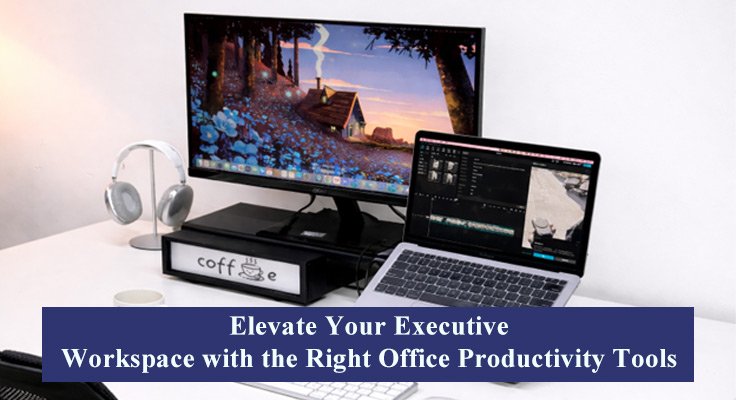
Its Mukiya USB-C Laptop Dock Stand offers the answer to this problem. It connects everything through a single USB-C cable, ensuring that once you sit at your workstation, the screen is raised to the level of your eyes, as well as all your devices and power sources are connected instantly. The result? Less setup time and fewer decisions to make, and an environment that is able to adapt to your needs.
Seamless Charging for a Mobile Office
For the person who is constantly in motion, Mukiya’s 3-in-1 Travel Wireless Charger is an essential item. It’s made to keep your gadgets fully charged without the burden of tangled cables or an overcrowded charging station. This small charger can be used with your entire collection of devices, providing a quick and effective method to charge when you’re on the move. If you’re at a cafe or working from home, it’s not necessary to be concerned about running out of batteries during a crucial meeting or working on your next project.
Achieving a Clutter-Free, Productive Space
One of the most significant benefits of a minimal set-up for a mobile office that is cable-free is the clarity of mind it provides. You won’t need to spend time trying to untangle wires or make sure that everything is connected correctly. A single-cable setup eliminates the need for multiple cords and chargers, which reduces physical clutter, which usually creates mental clutter. This method of organization lets you concentrate on what really matters -the work you do.
In reducing friction in your work space you can reduce the mental strain caused by constant setup and making decisions. A neat, tidy intentional workspace design for focus is much needed, making it easier to get into a flow state and stay productive throughout the day.
Tips for the Perfect Remote Work Desk Setup
Make sure your screen is elevated. Your Workstation: A good workstation should be set up with a screen that is located at eye level. Not only does this enhance ergonomics, but it also helps reduce neck strain. This Mukiya Portable Dock for Laptops USB-C makes sure that your laptop’s screen is raised to its ideal height without any effort.
Go Wireless: Get rid of the need to carry extra cables with a wireless setup. Travel wireless chargers keep your devices running free of clutter from cable tangles, which means you can concentrate on what you need to do and not worry about the charger.
Make Your Space Simple: Think only of the most essential items for your set-up. A small laptop dock and a wireless charger that can be carried around, along with a handful of other essential tools, can help you create an entire mobile office, without unnecessary accessories or piles of clutter.
Maintain Flexibility: One of the advantages of working remotely is the possibility of changing places quickly. Be sure that your setup allows you to switch between workplaces without much trouble.
Establish a routine: With an office that is mobile and a mobile office, setting up each space should be easy. Be sure that your equipment is easy to connect and that your workspace is designed to easily adapt.
Making the switch to a mobile-friendly office setup that is focused and reduces friction is not just beneficial to your productivity but also to your overall health. With the appropriate tools — such as those from the Mukiya Laptop Docking Stand for work system and the Mukiya 3-in-1 Travel Wireless Charger– you can set up a workspace that promotes mental as well as physical well-being.
It’s time to cut down on the burden of the use of hybrid workplaces. Embrace simplicity. Embrace focus. Start by embracing Mukiya today.
Use the code “WORKSAFE” at checkout for 15% off on all Mukiya products!
For more details, visit our page for landing.