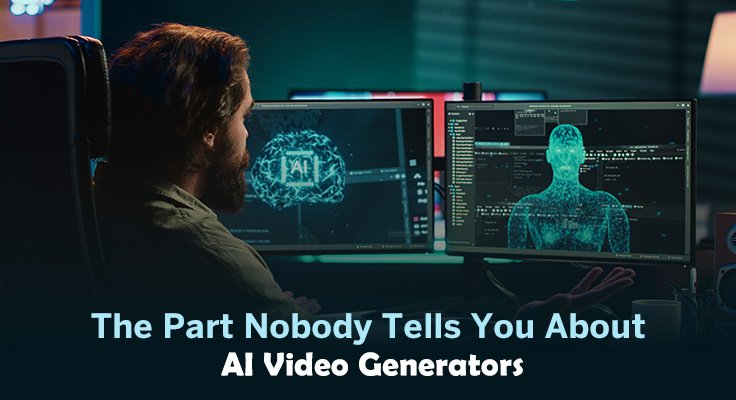
There’s a moment, usually around the third or fourth attempt, when the initial excitement of an AI video generator starts to feel different. The first output was surprising. The second was interesting. By the fourth, you’re noticing things—small inconsistencies, a gap between what you imagined and what appeared, the realization that prompting is its own skill. This is where most people either abandon the tool or start learning how to actually use it.
MakeShot positions itself as an all-in-one AI studio for video and image generation, powered by models including Veo 3, Sora 2, and Nano Banana. That’s the marketing frame. What matters more, especially for someone testing AI-assisted visual workflows for the first time, is understanding what that kind of platform can and cannot do for your actual work—and where your own judgment still carries most of the weight.
What People Usually Expect Versus What Actually Happens
First-time users of any AI video generator tend to arrive with a specific fantasy: describe what you want, press a button, receive something usable. The reality is messier. Prompting is not the same as directing. The tool doesn’t know your brand, your taste, or the context you’re working within. It generates possibilities. You still have to select, reject, revise, and sometimes start over.
This isn’t a flaw unique to MakeShot. It’s the nature of generative AI at this stage. The models are impressive, but they’re not mind readers. What tends to happen is that beginners underestimate how much iteration is involved. They write a prompt, get something close but not quite right, and feel stuck. The ones who get value from these tools are usually the ones who treat the first output as a draft, not a delivery.
There’s also a common misjudgment about speed. Yes, generating a video or image takes seconds or minutes rather than hours. But the total time from idea to usable output often includes multiple generations, prompt adjustments, and sometimes a return to manual editing anyway. The speed gain is real, but it’s not as dramatic as the demos suggest.
Where the Friction Tends to Appear
The hardest part of using an AI video generator isn’t the interface or the generation itself. It’s the translation layer—turning a vague creative intention into a prompt that produces something close to what you actually need.
People who come from traditional design or video editing backgrounds often struggle here. They’re used to direct manipulation: move this element, adjust that color, trim this clip. Prompt-based generation is indirect. You describe outcomes, not actions. And the model interprets your description through its own training, which may not align with your mental image.
For someone testing MakeShot or any similar platform, this is the part that usually takes longer than expected. Not the generation. The figuring out. What words produce what results? How specific should you be? When does adding detail help, and when does it confuse the model?
There’s no universal answer. It varies by model, by use case, by the kind of output you’re after. What can be said is that the learning curve is real, and it’s not always visible from the outside. A polished demo video doesn’t show the twenty failed attempts that came before.
The Question of Fit
Here’s where honest evaluation gets harder. MakeShot describes itself as an all-in-one platform combining multiple AI models. That sounds appealing—one place for video and image generation, powered by several engines. But what does that actually mean for someone trying to decide whether to invest time in learning it?
I can’t answer that with certainty, because the product description doesn’t include details about editing controls, output consistency, generation speed, or how the different models interact within the platform. What I can say is that the question of fit is less about the tool itself and more about your workflow.
If you’re a solo creator experimenting with short-form video ideas, the value proposition is different than if you’re a marketer who needs consistent, brand-aligned assets at scale. The first use case tolerates more variability. The second demands reliability that may or may not exist in any current AI video generator.
What tends to matter after the first few experiments:
- Can you get results that are close enough to useful without excessive iteration?
- Does the platform’s output style match the aesthetic you’re working toward?
- Is the revision process—when the first output isn’t right—manageable or frustrating?
These are questions you can only answer through use. No review, including this one, can substitute for your own testing.
What Cannot Be Concluded Yet
It would be easy to fill this section with speculation—about MakeShot’s performance, its suitability for commercial use, how it compares to standalone tools. But that would be dishonest. The available information describes a platform and names the models it uses. It doesn’t provide benchmarks, user feedback at scale, or detailed feature breakdowns.
What I can observe is that multi-model platforms are becoming more common, and they solve a real problem: the fragmentation of AI tools. Instead of juggling separate subscriptions and interfaces for video, images, and different generation styles, a unified platform offers convenience. Whether that convenience comes with trade-offs—in output quality, in control, in flexibility—depends on implementation details I don’t have access to.
This is worth stating plainly because the AI tool space is saturated with overclaiming. Every platform promises transformation. Few deliver it consistently. The honest position is that MakeShot may be excellent, adequate, or disappointing depending on factors that aren’t visible from the outside. The only way to know is to test it against your own needs.
A More Useful Way to Evaluate
If you’re considering MakeShot or any AI video generator, here’s a framework that tends to produce clearer judgments than feature comparisons:
- Start with a specific, low-stakes project. Not “I want to make videos” but “I need a 15-second clip for this specific social post.” Concrete goals reveal concrete limitations.
- Run the same prompt multiple times. Variability is normal in generative AI. What matters is whether the range of outputs includes something usable, not whether every output is perfect.
- Notice where you want to intervene. If you keep wishing you could adjust a specific element—timing, color, composition—that tells you something about the gap between the tool’s capabilities and your needs.
- Revisit after a week. First impressions are unreliable. The novelty wears off. What remains is whether the tool actually saves time or creates new kinds of work.
The decision to adopt an AI video generator isn’t really about the tool. It’s about whether prompt-based generation fits how you think and work. Some people find it liberating—a way to externalize rough ideas quickly. Others find it frustrating—a layer of translation that adds friction instead of removing it.
MakeShot offers one version of this workflow, with the added promise of multiple models in one place. Whether that promise translates into practical value for your specific situation is something only experimentation can reveal. The honest advice is to test it with realistic expectations, notice where the friction appears, and make your judgment based on what actually happens—not on what the marketing suggests should happen.