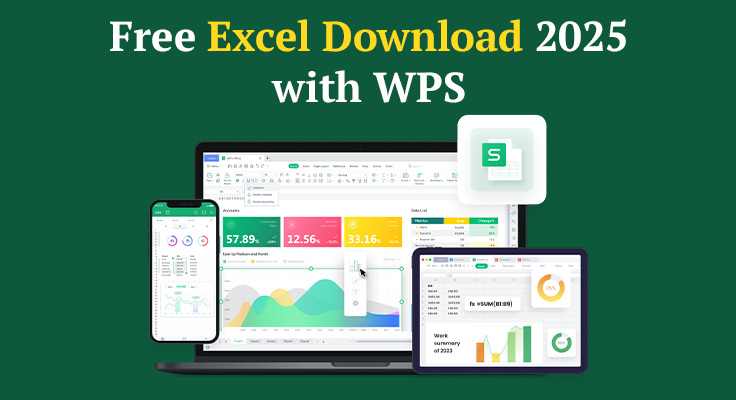
Computing expenses, budgeting, project data management, and the basic design of your first side hustle tracker Excel remains a king of spreadsheets. However, not all people have easy access to Microsoft Excel or want to spend a subscription fee in order to edit and open a couple of files.
There come free and fully featured substitutes, and WPS Office is charting the trend.
If you’re searching for a seamless Excel download experience in 2025, WWPS provides a quick, robust, and functional tool that is compatible with XLS, XLSX, and even more Excel formats—without the price tag or the bloat. It will allow you to open, edit, create, and even enhance your spreadsheets with a tool developed to meet the needs of modern professionals, students, and small business owners.
Let’s break down exactly how to download, access, and work with Excel-style spreadsheets using WPS—and why it might be the smarter option for most users today.
Why “Excel Download” is Still One of the Web’s Most Searched Phrases
There’s a reason millions of people still Google this term every year.
Microsoft Excel remains a global standard—but
- 💰 It’s part of a paid subscription (Microsoft 365)
- 🖥️ It requires updates, licensing, and activation
- 📱 Its mobile version is limited without a Microsoft account
- 🤝 It’s not always beginner-friendly
Still, many people are just looking for a way to open or edit Excel files on the fly. That’s why Excel-compatible tools like WPS Spreadsheet have surged in popularity: they offer everything most users need—and a few surprises—without the traditional Excel download barriers.
Meet WPS Spreadsheets: A Free Excel-Compatible Solution
WPS Office isn’t just another free office suite. It’s built to look and feel like Excel, with full support for:
- XLS, XLSX, CSV, and XLSM formats
- Complex formulas and functions
- Pivot tables and charts
- Cell styles and conditional formatting
- Data validation, filters, and more
And if you’re on the go, it syncs seamlessly between desktop and mobile—something traditional Excel can struggle with.
You can learn more and access sample templates on the WPS Excel Spreadsheet Guide
How to Get Started: Your Excel Download Alternative in 3 Steps
1. Download WPS Office
Instead of searching endlessly for Excel files or cracked versions, just download WPS Office for free. It’s light (under 200 MB), installs in minutes, and includes WPS Spreadsheet—a full-featured Excel clone.
It’s available for:
- Windows
- Mac
- Android
- iOS
2. Open Any Excel File
Once installed, open any .xls, .xlsx, or .csv file directly. WPS Spreadsheet will recognize and format the file just like Excel would.
No conversion needed. No layout issues. No lost formulas.
3. Edit, Save, Share
You can edit data, use formulas, apply formatting, and save in Excel format—so you can share it with anyone using Excel or Google Sheets.
And yes, you can also export to PDF, share via cloud, or password-protect your files.
Table: Excel vs. WPS Spreadsheets — Feature-by-Feature
| Feature | Microsoft Excel | WPS Spreadsheets (Free) |
| Cost | Paid (subscription) | Free |
| Excel format support | Full | Full (XLS, XLSX, CSV, etc.) |
| Pivot tables & charts | Yes | Yes |
| Mobile compatibility | Limited unless signed in | Full access, cross-platform |
| Cloud sync & file sharing | Microsoft OneDrive only | WPS Cloud + others |
| Export to PDF | Yes | Yes |
| AI-powered tools | Limited | Built-in WPS AI features |
Who Should Use WPS Instead of Downloading Excel?
Not everyone needs the enterprise-level tools of Microsoft Excel. In fact, for most users, WPS does everything they’ll ever need—faster, and for free.
Students
- Track assignments, grades, or schedules
- Use templates for budgeting and time management
Freelancers & Small Business Owners
- Manage invoices, income, expenses
- Analyze sales and customer data
Home Users
- Household budgets
- Meal planning, inventory tracking
- Personal finance spreadsheets
Analysts & Project Managers
- Use pivot tables, charts, and formulas
- Collaborate with teams via cloud sync
Templates Included: No Need to Start from Scratch
One of WPS’s biggest advantages? Hundreds of free spreadsheet templates—ready to download and customize.
Popular categories include
- Expense trackers
- Personal monthly budgets
- Invoice formats
- Sales reports
- Gantt charts
- Timetables & schedules
These templates make it easier to get started without wrestling with blank cells or custom formulas.
Privacy, Performance, and No Strings Attached
A lot of “free Excel downloads” online come with malware, ads, or hidden costs. WPS is different:
- No popups or registration walls
- No bundled software or trackers
- No watermarks on saved files
- Built by a trusted global software company
- Regularly updated with new features and security fixes
You don’t need a Microsoft account. You don’t even need an internet connection once it’s installed.
What If You Still Need Excel Later?
Good news: WPS is fully compatible with Excel. So you can use WPS for daily work, then send or open files in Excel later if needed. Your files will remain fully usable in either tool.
It’s the perfect solution for:
- Collaborating with Excel users
- Opening files without Office installed
- Saving money on personal or startup workflows
Final Thoughts: Excel Download Alternatives Are Better Than Ever
In 2025, you don’t need to buy a Microsoft subscription to work like a pro.
WPS gives you everything you’d expect from Excel—formulas, formatting, templates, and data tools—without the price tag or platform lock-in. For students, freelancers, small businesses, or anyone managing data, it’s the smarter way to get started.
So instead of searching for yet another “Excel download” link, just grab WPS, open your file, and start working. You’ll spend less time installing—and more time actually getting things done.
Also read: What Makes Microsoft Dynamics 365 Business Central Ideal for SMBs?